Local save diagnosis
Palworld Save Doctor diagnoses files before anything changes.
Palworld Save Editor starts with evidence: which files you have, what format they use, what is missing, and whether the browser can safely continue. The original stays untouched while you decide the next move.
Open a save to see its world summary
We will identify the files, version clues, completeness, and tasks available for this exact input.
Compatible PlZ Beta worlds can expose named players and Pals; unsupported formats receive diagnostic evidence.What the recognition receipt tells you
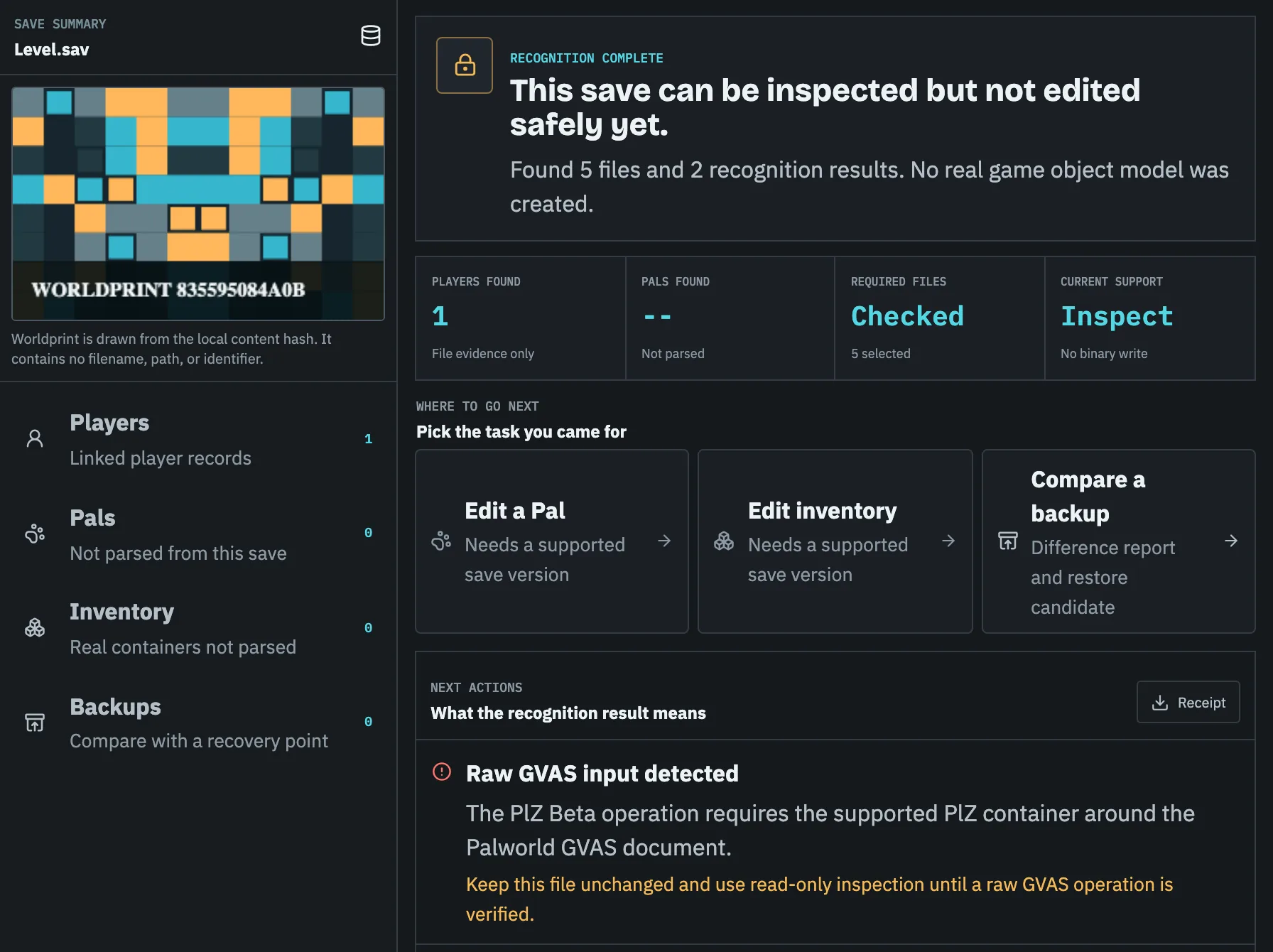
A useful diagnosis is more than a green check beside Level.sav. Palworld Save Editor inventories active world files and files found under backup paths, then explains which part of the intended job can be verified from that set.
The receipt also records a SHA-256 based Worldprint, total bytes, format signals, platform clues, and an explicit capability state. A file can be recognized without being declared editable.
Why most real Palworld binary editing is locked
PlZ Beta unlocks a Pal's level, experience, HP, Attack, Defense, and Melee IVs, work speed, sanity, fullness, condensation rank, souls, gender, nickname, passive skills, and moves; your character's own record; inventory items, including adding, removing, and moving them between containers; guild and base names, camp level, and base radius; and, once a matching Players companion is open, technology points, unlocked technologies, the Paldeck, and fast travel, plus copying, moving, and giving away Pals - in Steam or dedicated-server PlZ2 / 0x32 world saves. Putting a Pal to work at a base, species, unique weapons and armour with their own durability record, CNK, raw GVAS, WGS, and unknown paths remain read-only or diagnostic; an Oodle-compressed PlM world is edited the same way and written back as PlZ.
That restraint is the product. A passing browser or codec check for one operation cannot safely widen every field and format.
The safe route after scanning
If the set is complete and the format is supported, the next step is a scoped change plan. If files are missing, Palworld Save Editor names the companion class to locate. If the active save looks damaged, preserve and compare recovery points manually before mutation. Transfer jobs need an identity map before any conversion.
- Freeze the original input as the reference point.
- Describe every affected player, Pal, inventory group, or file.
- Block export until structure, references, identities, values, scope, and round-trip checks pass.
Task checklist
- 01Upload the complete world folder as a ZIP when possible.
- 02Keep at least one timestamped backup outside the active save directory.
- 03Treat an unconfirmed game version as unknown, not compatible.
- 04Save the Recognition Receipt before using another repair or conversion tool.
Questions people ask before touching the save
Does Palworld Save Editor upload my Palworld save?
No. The current site has no save upload API, Worker function, or database. File inspection runs in your browser.
Can it repair every corrupted save?
No. It can identify file-set problems and risky signatures. A repair export is offered only when the required parser and validation path is proven.
Why show an evidence score?
The score summarizes visible issues such as missing files, tiny Level.sav files, unsupported signatures, and whether backup-folder files were included. The underlying issues are always listed.